See the edit
Move between a responsive waveform and detailed spectrogram. Zoom, page, jump to an exact time, select to the sample, and place editable markers.
 VeriWav
Native audio editing for macOS
Record, cut, clean, analyze, and batch-convert audio without getting buried in a full production suite. VeriWav puts the waveform—and the work—first.
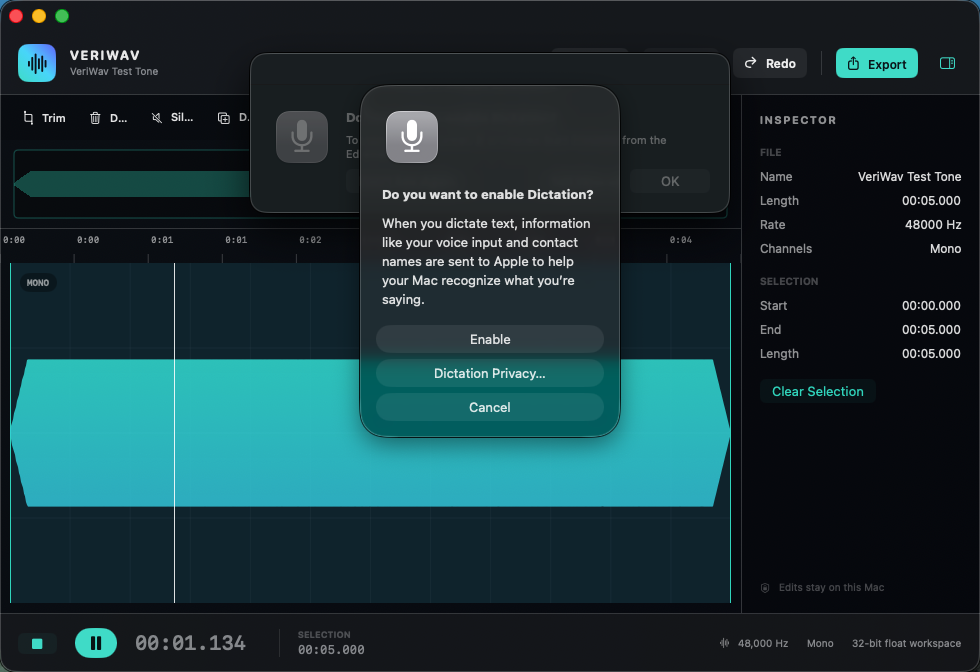
The editor
VeriWav is built for precise single-file editing: voice recordings, field audio, samples, interviews, sound effects, and the final fixes that should not require a DAW.
Move between a responsive waveform and detailed spectrogram. Zoom, page, jump to an exact time, select to the sample, and place editable markers.
Cut, copy, paste, trim, silence, duplicate, reverse, redact, insert, and mix—with complete undo and crash recovery.
Capture a noise profile, repair clicks and pops, trim edge silence, filter unwanted frequencies, remove DC offset, and normalize levels.
Use gain, ten-band EQ, compression, limiting, fades, echo, reverb, speed and pitch tools, and reusable effect presets.
Read time and sample positions, measure peak and LUFS levels, and inspect the frequency spectrum of a selection.
Convert one file or a complete batch to WAV, AIFF, MP3, AAC/M4A, FLAC, or CAF with saved export presets and expanded metadata.
A Mac app, on purpose
Drop in an audio file, choose one from Finder, record from a selected input, or generate a tone.
Drag directly on the waveform or enter exact bounds. Apply edits to a selection or the entire file.
Reuse saved format and quality settings for one file or many while leaving the originals untouched.
VeriWav Pro
The free edition includes open, record, play, select, cut, paste, trim, silence, fade, reverse, spectrogram viewing, bookmarks, and unwatermarked WAV export.
VeriWav Pro adds advanced formats, batch conversion, reusable presets, studio effects, improved cleanup, analysis, expanded metadata, mixing, and generation. It is a one-time purchase, not a subscription.
Local audio processing
VeriWav edits audio on your Mac. It does not upload your recordings, require an account, or place your work behind a proprietary cloud.
Read the privacy policyFor macOS